VybeCoding_
the vibe coding terminal
VybeCoding turns plain English into shell commands. Speak, type, or let AI handle the rest. One app for iPhone and Mac.
One session, every device
Start on your Mac, pick up on your iPhone. VybeCoding keeps everything alive.
        ╭─────────────────────────────╮
        │  ┌──────┐                   │
        │  │ 📱   │    ╭──╮          │
        │  │ ✓ ✓  │   ╱ 😎 ╲         │
        │  │ $ _  │  ╱  ──  ╲        │
        │  └──────┘ │  ╲__╱  │       │
    ╭───┤           │   ││   │  ───╮ │
   ╱    │    ╭──────┴───┴┴───┤    ╱  │
  ╱     ╰────┤               ├───╱   │
 ╱ ░░░░░░░░░░│  ░░░░░░░░░░░ │░░╱    │
╱____________│_______________│_╱     │
╰─────────────────────────────────────╯SofaEngineer_
Bug fixed. App deployed. All from the couch.
Everything you need. Nothing you don't.
VybeCoding gives you everything to code from anywhere.
Talk to your server
Say what you want in plain English. VybeCoding listens, translates, and runs it. AI-powered voice-to-command, built right in.
It won't let you rm -rf /
Every command gets a safety analysis before execution. Dangerous commands get flagged, warnings get shown. Your server lives another day.
See your desktop. From your phone.
Native VNC with RFB protocol support. Connect to your desktop and see it live on your iPhone. Tap to click, pinch to zoom.
Queue now, run later
Build a command queue, reorder it, review it, then fire. Batch operations without the anxiety.
Snap. Send. SFTP.
Take a photo, pick a file, send it to your server. SFTP built right into the terminal. No separate app needed.
localhost:3000, meet iPhone
Built-in browser with web console. Preview your dev server, inspect logs, debug — all without leaving VybeCoding.
From English to shell in under a second
Just say what you want. VybeCoding handles the translation.
“Find all the log files bigger than 100 megs”
find / -name "*.log" -size +100MSafeFull disclosure
VybeCoding built this app.
VybeCoding built this website.
VybeCoding wrote this copy.
The developer was on the couch the entire time.
Your Mac, controlled from
anywhere
VybeCoding Desktop turns your Mac into a development server. Build iOS apps from your phone, stream your webcam, transfer files — all from the couch.
Build from your phone
Tap build on your iPhone, your Mac runs xcodebuild, streams live output back. Install to device without touching Xcode.
Finder → Terminal in one click
Right-click any folder in Finder, hit 'Open in VybeCoding'. A new terminal opens in that directory instantly.
Multi-tab with persistent sessions
Split view, named sessions, and persistence built in. Terminals survive app restarts, crashes, even reboots.
Live webcam streaming
Stream your Mac's camera to any device on your network. MJPEG over HTTP with token auth. Zero setup.
Phone-to-desktop file transfer
Send photos from your iPhone, they appear on your Mac with a toast notification. Insert paths straight into the terminal.
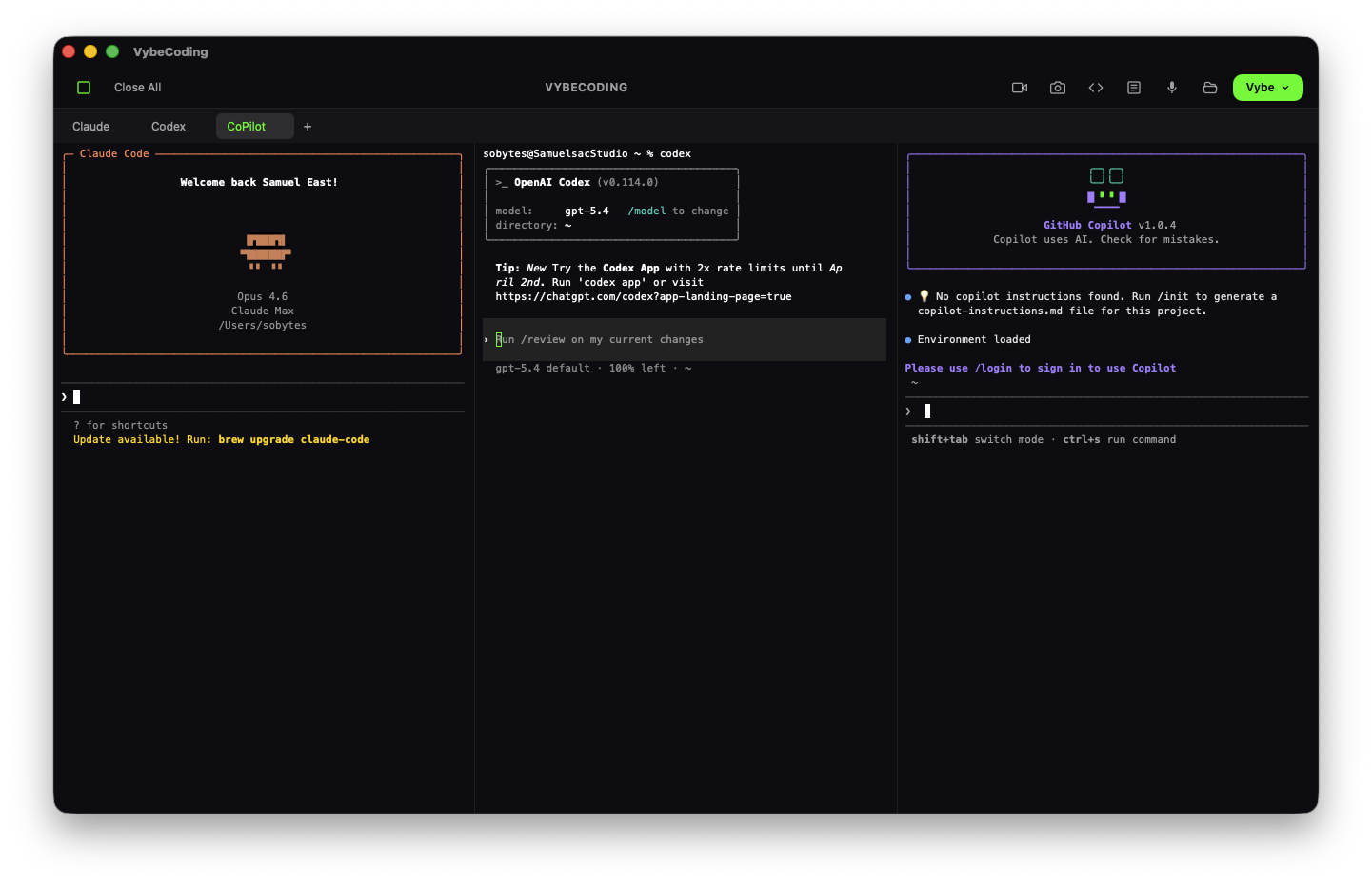
AI coding tools, one click away
VybeCoding launches your favourite AI tools instantly. Status indicators show what's ready. Setup guides for what's not.
No account required.
Let's build the future of
mobile development
VybeCoding is redefining how developers build, test, and ship apps — from anywhere, on any device. We're looking for partners who see the same opportunity.
Connect With Us