Help
Support
Need help with VybeCoding? Whether you're a sofa engineer managing servers from the couch or troubleshooting on the go, we're here for you.
Common questions
- How do I connect to my server?
- Tap the + button on the home screen, enter your server's hostname or IP address, username, and password (or SSH key). VybeCoding also auto-discovers servers on your local network via mDNS.
- How do voice commands work?
- Tap the microphone button and speak naturally (e.g. "list all files" or "go to the desktop folder"). Common phrases are translated instantly on device. More complex commands are translated using AI.
- What does the Unlimited upgrade include?
- The free tier includes 2 server slots. The Unlimited upgrade removes the server limit and unlocks screen sharing (VNC), webcam streaming, and AI voice command translation for all commands.
- How do I restore my purchase on a new device?
- Go to Settings in the app and tap "Restore Purchases". Make sure you're signed in with the same Apple ID used for the original purchase.
- How do I set up ZeroTier for remote access?
ZeroTier requires TWO steps on iOS
Step 1
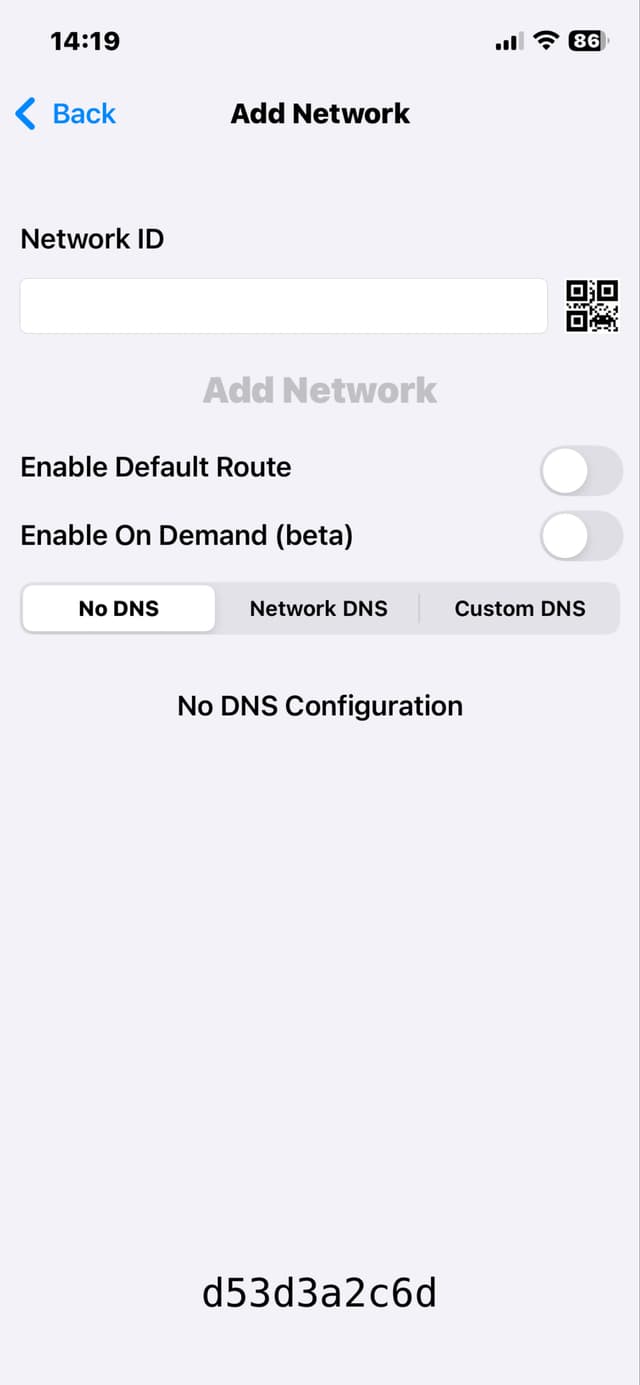
Install and add your network
Install the ZeroTier One app from the App Store. Open the app and tap + to add a network. Enter your 16-character Network ID from the ZeroTier Central dashboard.
Step 2
Enable the VPN
Go to iOS Settings → VPN and toggle ZeroTier One ON. It should show "Connected". This step is often missed!
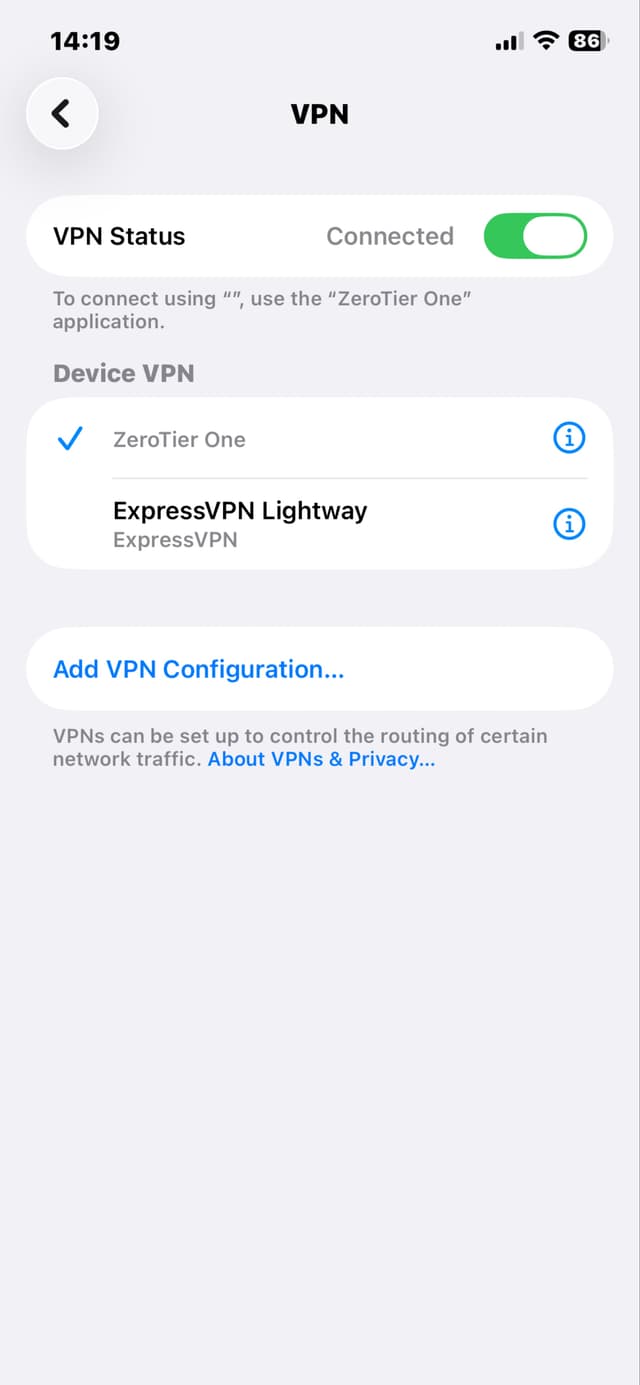
Without step 2, ZeroTier won't actually route traffic. Make sure the VPN toggle is ON and shows "Connected" in Settings → VPN.
- Is my data secure?
- Yes. All credentials are stored in the iOS Keychain. SSH connections are end to end encrypted. Voice recognition runs on device. We do not collect personal data. See our Privacy Policy for details.
Contact us
If you can't find an answer above, reach out and we'll get back to you as soon as possible.
support@sobytes.com© 2026 SOBYTES LTD. All rights reserved.